Food
Ember
A complete fire-grill restaurant site with a working ordering flow — menu, cart, delivery or pickup checkout, order tracking and an admin console. Everything a restaurant owner would change lives in two config folders.
Want it set up for your restaurant? Ask for setup — menu, photos, delivery zones, domain and launch, done for you.
Overview
A complete fire-grill restaurant site with a working ordering flow — menu, cart, delivery or pickup checkout, order tracking and an admin console. Everything a restaurant owner would change lives in two config folders.
What's Included
- Full ordering flow — cart, delivery or pickup, promo codes, checkout
- Distance-band delivery pricing that needs no Maps API key
- Admin console: orders, products, categories, customers, coupons
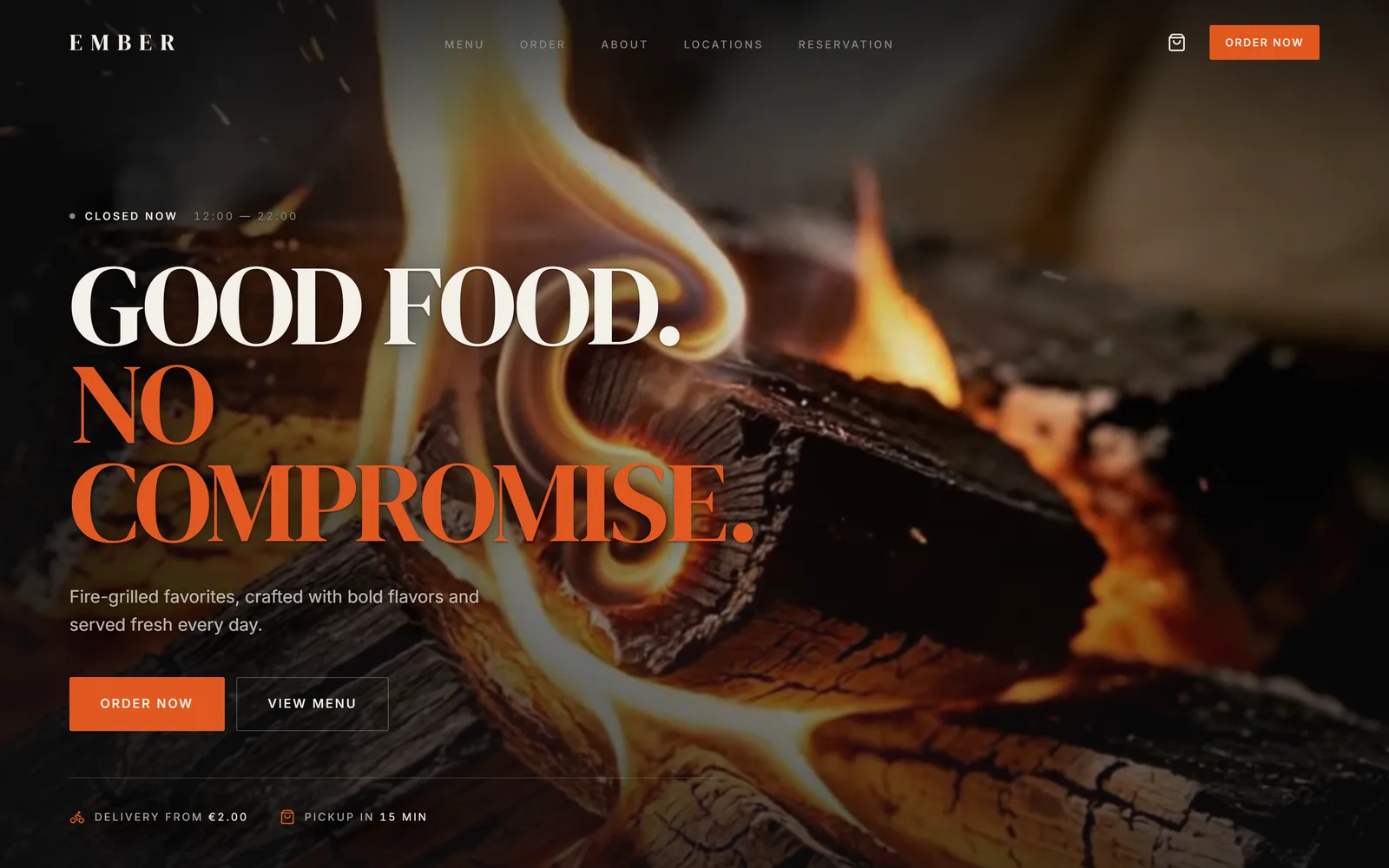
- Looping hero video with a shatter transition between shots
- Config-driven — rebrand from src/config without touching a component
- Stripe, Resend and database integration points documented
- Accessible dialogs, keyboard navigation, reduced-motion support
- Nine documentation guides and a commercial licence
Watch the Walkthrough
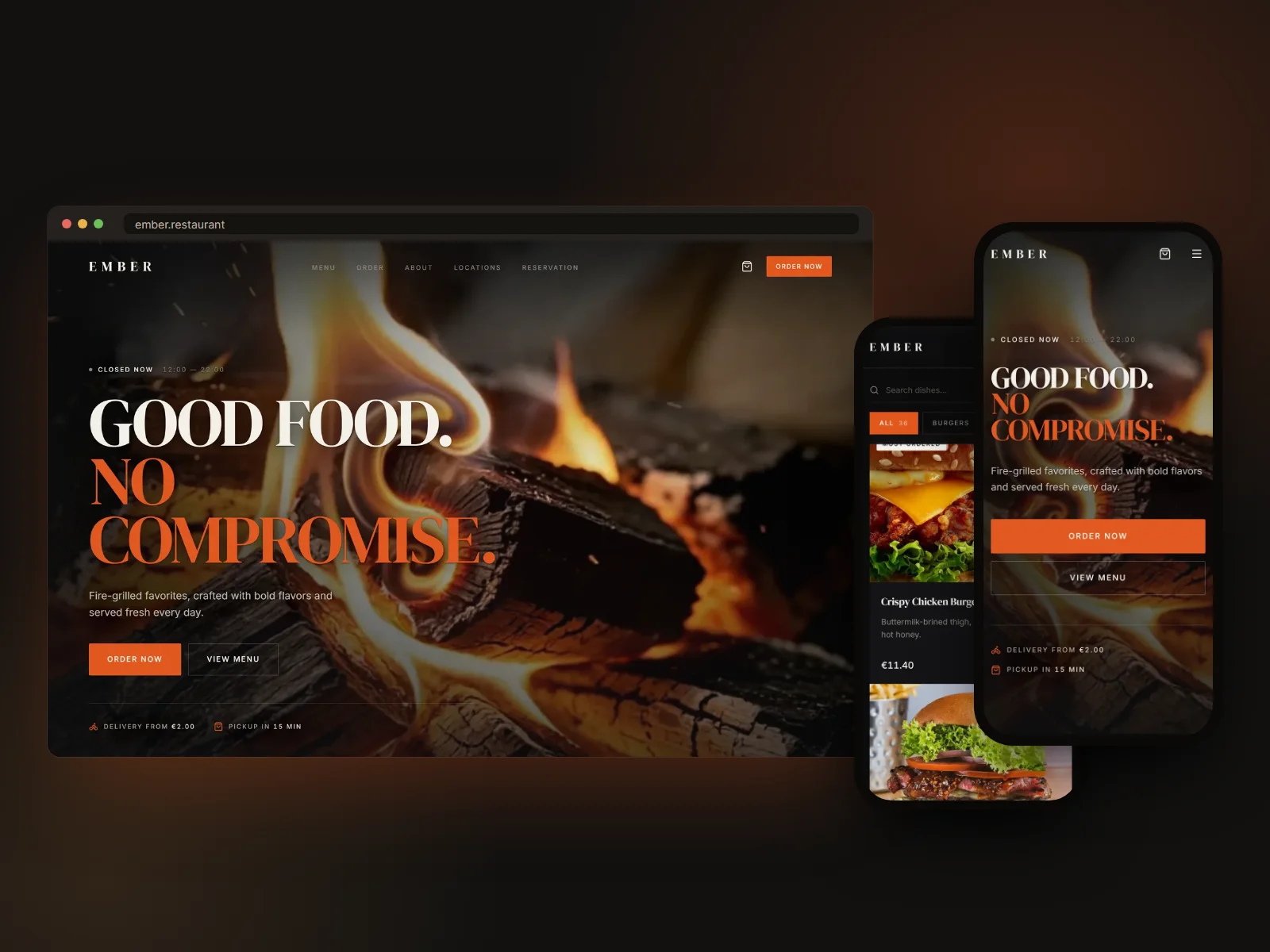
Every section of Ember in one video, and the desktop and mobile layouts side by side.
Section by Section
Every section of the template, where it sits and what moves — recorded from the running demo.
- Home — Hero — live recording
01Home
Hero
A full-bleed looping video hero — fire, grill and delivery clips — with the headline, opening hours and order CTA set over a left-weighted scrim.
MotionClips shatter-transition into one another; the scrim stays legible over whichever clip is playing.
- Home — Signature dishes — live recording
02Home
Signature dishes
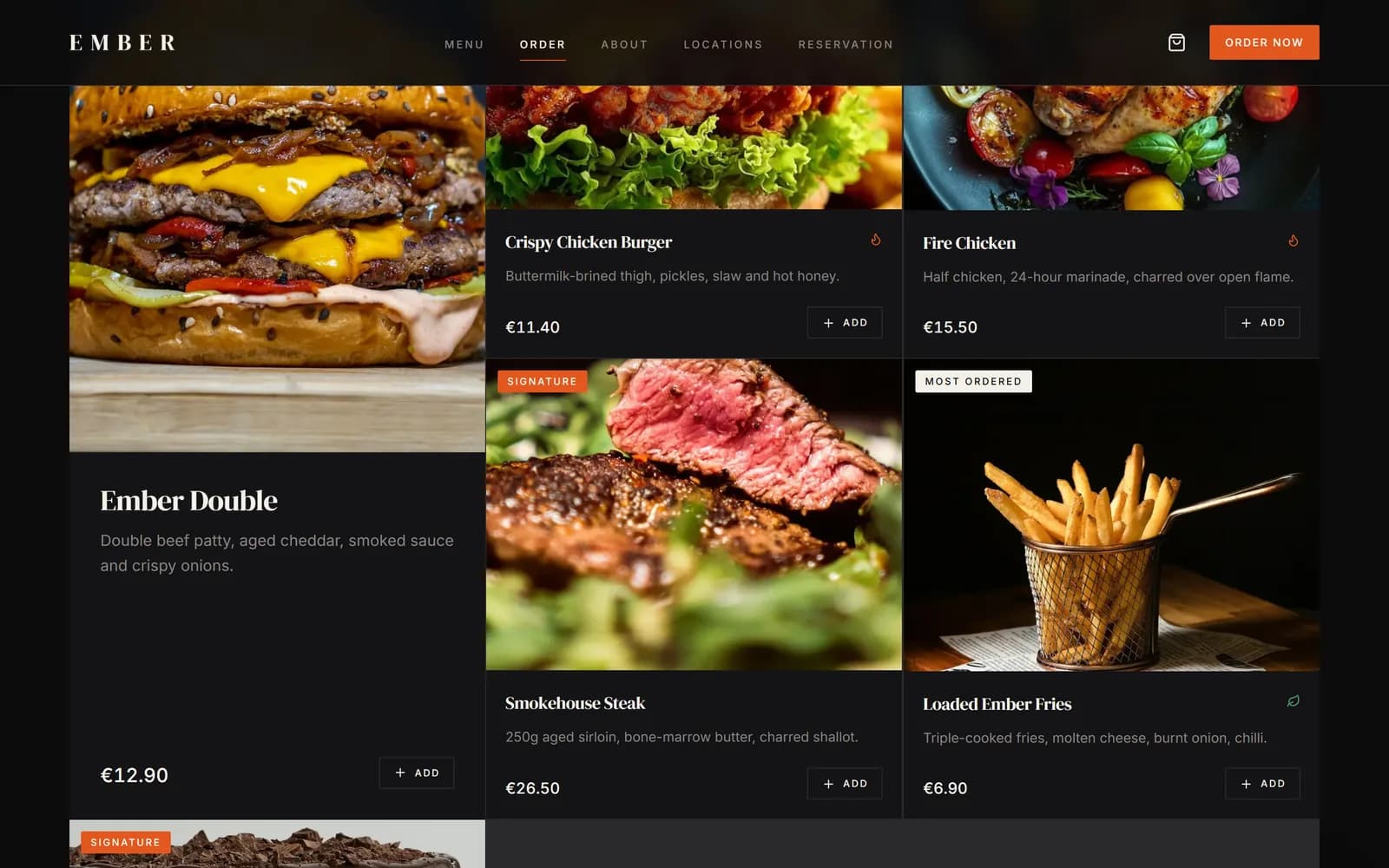
A curated rail of the six best-selling dishes, each tagged Signature or Most Ordered, pulled straight from the same menu data as the full Menu page.
MotionCards fade and rise into place as they scroll into view.
- Home — Taste strip, order modes & story — live recording
03Home
Taste strip, order modes & story
A strip of dishes, the two ways to order — delivery or pickup, each with its times, fees and an order link — and the kitchen's story. Each is a self-contained section you can reorder in one file.
MotionBlocks fade and rise into place as they scroll into view.
- Home — Menu preview — live recording
04Home
Menu preview
Eight menu sections at a glance, leading into the full menu.
MotionThe grid rises into place as it scrolls into view.
- Home — Reviews, locations & reservation — live recording
05Home
Reviews, locations & reservation
Guest reviews, the three kitchens with today's opening hours, and a full-width call to book a table.
MotionReviews and location cards rise into place as you scroll.
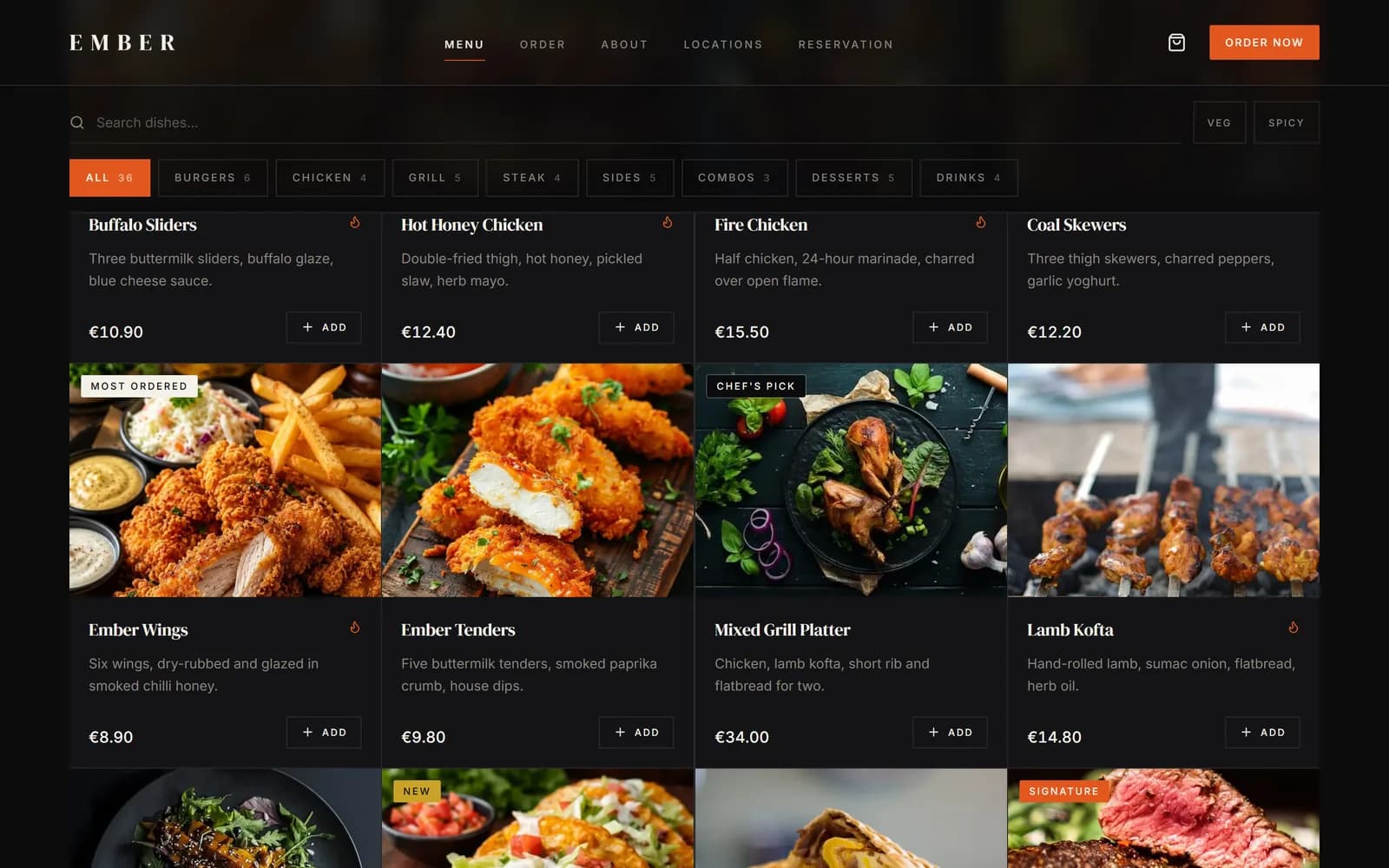
- Menu — Search & filters — live recording
06Menu
Search & filters
36 dishes across eight categories, with live text search and one-tap category and dietary filters — no page reload.
MotionThe grid re-filters instantly as you type or switch categories.
- Menu — Add to cart — live recording
07Menu
Add to cart
Opening a dish shows allergens, calories and a full extras list with live pricing, before it's added to the cart — all in a modal, no page change.
MotionThe dish modal opens over a blurred backdrop; extras toggle with an instant price update.
- Everywhere — Cart drawer — live recording
08Everywhere
Cart drawer
The cart opens from any page with quantities, extras, a free-delivery progress meter and a straight path to checkout.
MotionThe cart opens over the page; the free-delivery meter fills as the order grows.
- Order — Delivery or pickup — live recording
09Order
Delivery or pickup
One order flow that branches for delivery or pickup, with a distance-band delivery quote that needs no Maps API key.
MotionThe hero and photography fade in as the page settles.
- Checkout — Checkout form — live recording
10Checkout
Checkout form
Contact, delivery address, delivery notes, promo code and payment choice, with an order summary beside it. Works end to end with no payment keys.
MotionThe order summary sits beside the form while you fill it in.
- Track order — Order tracking — live recording
11Track order
Order tracking
Customers enter the order number from their confirmation to see a step-by-step timeline of where their order is, with its details underneath.
MotionCompleted steps are marked and the current step is highlighted once an order is found.
- Reservation — Book a table — live recording
12Reservation
Book a table
Date, time, number of guests, location and special requests in one form.
MotionFields highlight as each one is filled in.
- Gallery — Gallery — live recording
13Gallery
Gallery
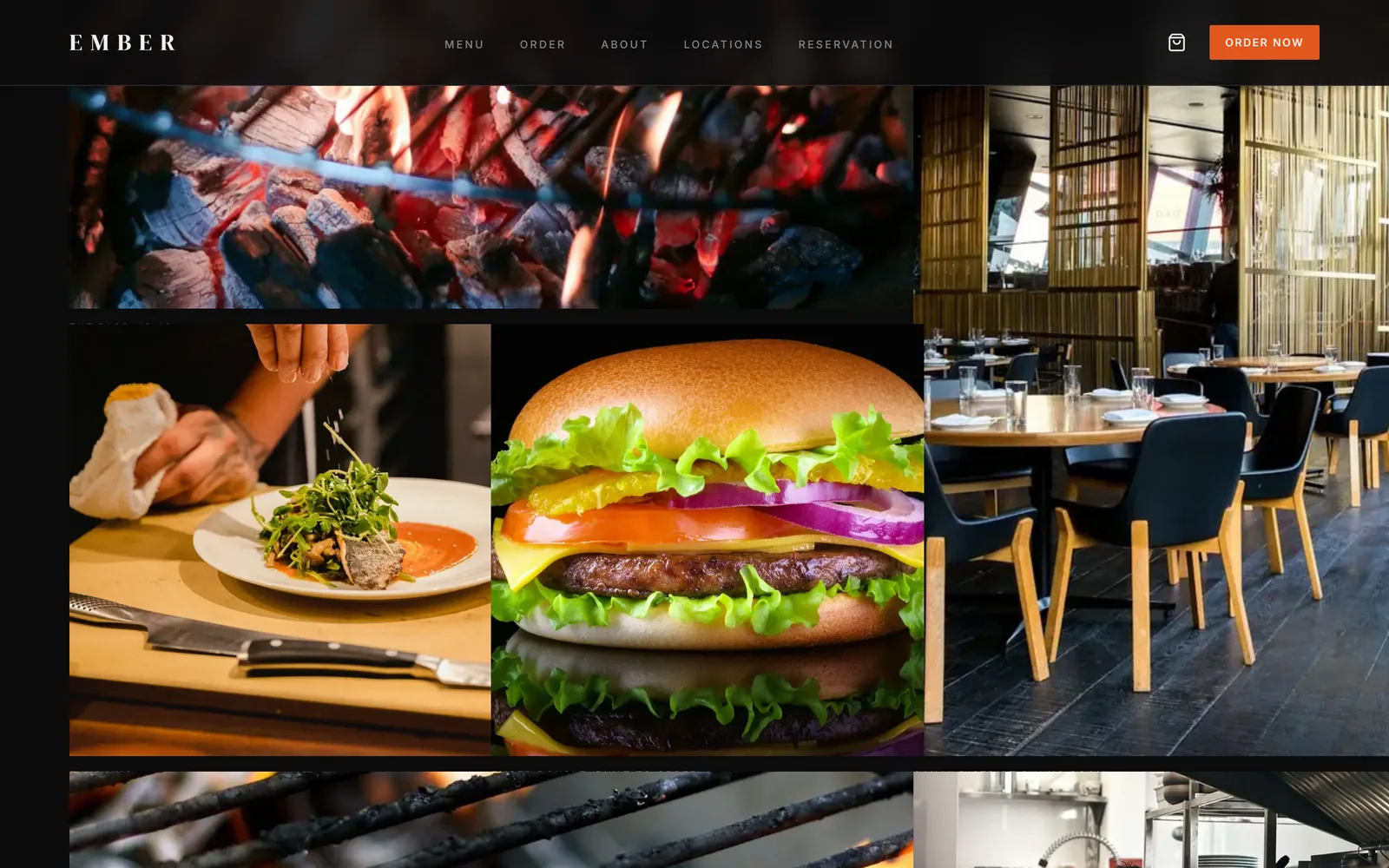
The room, the grill and the food in a photo grid.
MotionPhotos fade in as you scroll.
- About — About — live recording
14About
About
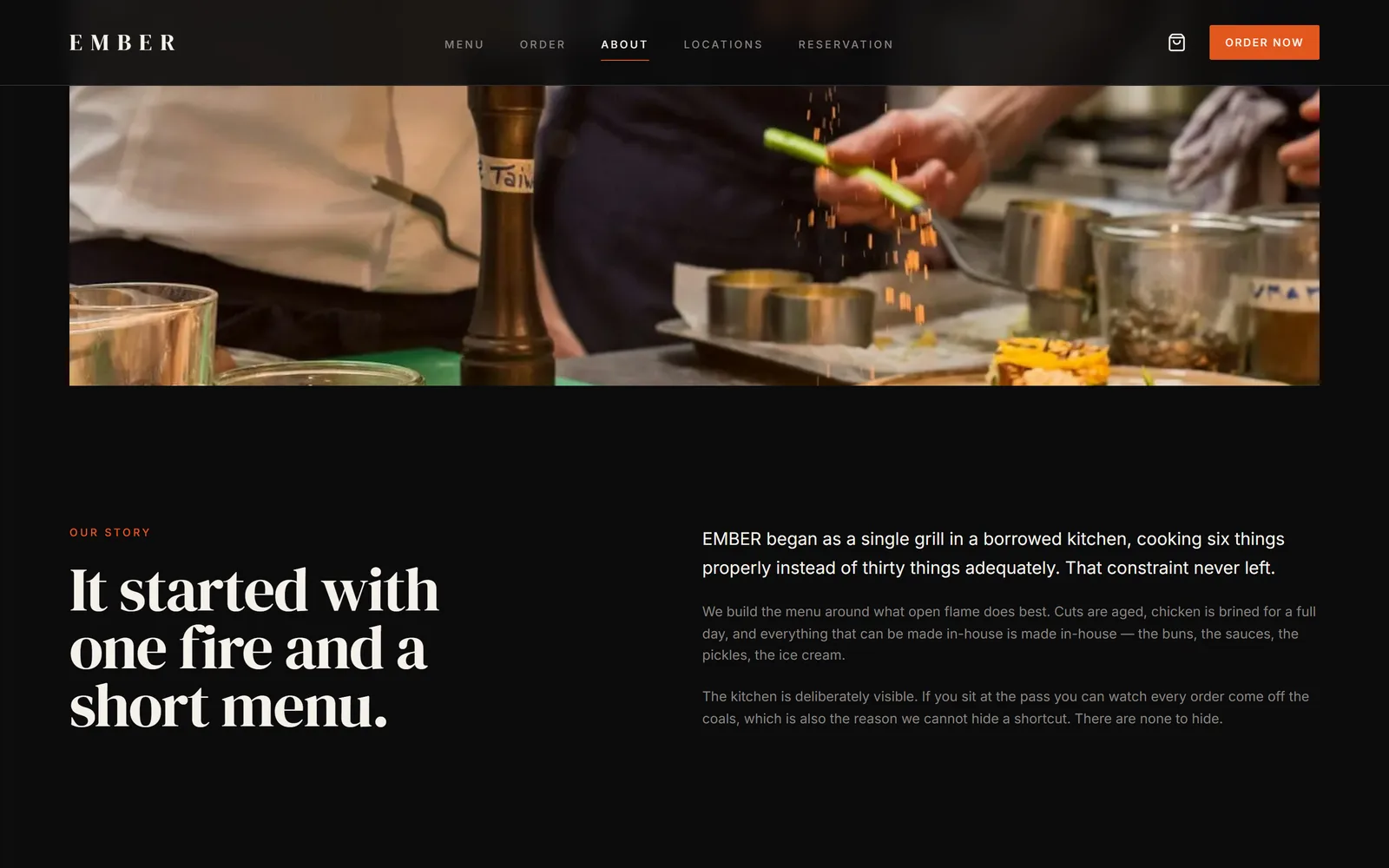
The kitchen's story and a prompt to book a table — written to sell the room, not just the menu.
MotionEditorial blocks rise into place as you scroll.
- Locations — Locations — live recording
15Locations
Locations
Every kitchen with address, opening hours, today's status and directions.
MotionOpening hours are read from the data file, and whether a kitchen is open is worked out from the current time.
- Admin — Overview — live recording
16Admin
Overview
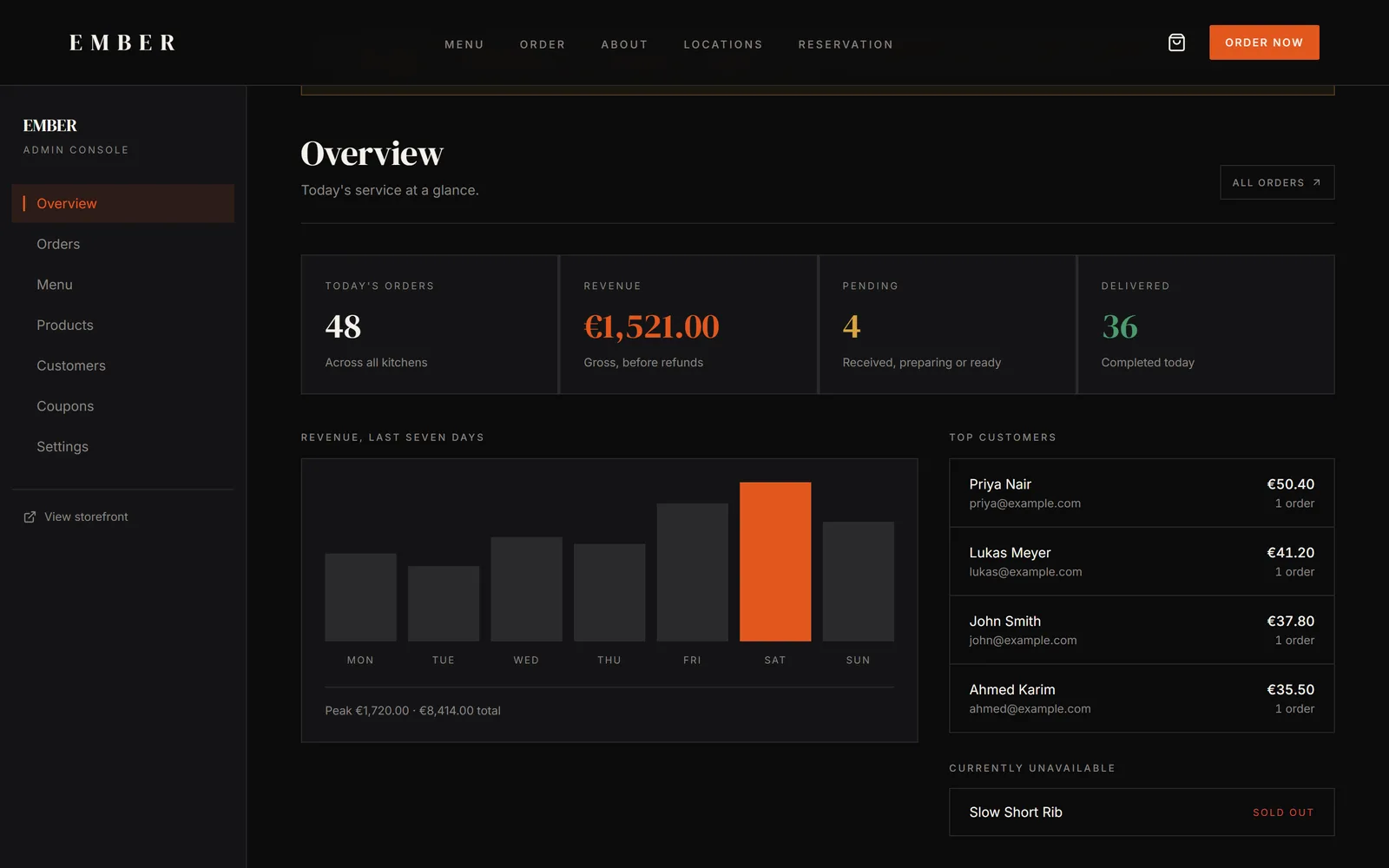
Today's orders, revenue, pending and delivered counts, a seven-day revenue chart and a top-customers list — the console a restaurant owner actually checks each morning.
MotionStat cards and the revenue chart animate in on load.
- Admin — Orders — live recording
17Admin
Orders
Every order with its status, customer and total — the screen the kitchen works from during service.
MotionStatus badges show where each order is at a glance.
- Admin — Products — live recording
18Admin
Products
The menu as a table, with a product form for price, category, add-ons and an availability switch — ready to wire to a database.
MotionMarking a dish unavailable shows it on the overview straight away.
Pages
- Home
- Menu (36 dishes, 8 categories)
- Order — delivery & pickup
- Cart & Checkout
- Order Confirmation
- Order Tracking
- About
- Locations
- Reservation
- Gallery
- Contact
- Admin — 7 screens
- Privacy, Terms, Cookies
- 404
Inside the Template
Screens from the live demo — nothing mocked up.
Responsive Preview
Perfect For
- — Burger, grill and kebab restaurants
- — Takeaways moving off third-party delivery apps
- — Multi-branch restaurant groups
- — Developers building a restaurant client site
Requirements
- — Node.js 20 or newer
- — Any Next.js host — Vercel, Netlify, or a Node server
- — No database, payment or API keys needed to run the demo
License
Each purchase includes a standard license covering one end product, personal or commercial, including client work. Redistribution or resale of the template files themselves is not permitted. Read the full license.
Frequently Asked Questions
Build your next website without starting from zero.
Order This WebsiteNot a developer? Have it set up for you.